YouTube is the hardest app to cut, and it is because it is the only one with a defence. Nobody argues that their fourth hour of TikTok was research. But YouTube sessions always have a story: I was learning something, I was catching up on the news, it was a documentary. Sometimes that story is entirely true. That is exactly the problem — an app you can always justify is an app you will never audit.

The test that cuts through the justification
One question separates YouTube that is worth your time from YouTube that is eating it:
Did you choose the video before you opened the app, or did the app choose it after you arrived?
Almost everything valuable falls on the first side. You wanted to fix a tap, learn a chord, understand a court ruling, watch a specific talk. You arrived with an intention, you got it, you left.
Almost everything you regret falls on the second. You opened the app with no target, the home page offered you something, and ninety minutes later you were four videos deep into a topic you did not know existed and will not think about again.
Same app, same duration, entirely different transaction. Any plan that treats YouTube as a single thing to be reduced by a percentage will fail, because it makes the useful half feel like a punishment and the wasteful half feel unfairly targeted.
Turn off the three features that decide for you
YouTube’s engagement comes from three specific mechanisms. All three can be switched off, and switching them off is the highest-value ten minutes in this article.
Autoplay. This is the big one. Every video has a natural stopping point — the end. Autoplay deletes it and replaces a decision with a five-second countdown. Toggle it off in the player and each next video becomes a choice. A remarkable number of sessions end at the very first choice, because the impulse was never strong enough to survive being asked.
The home page and recommendations. The home feed exists to start a session, not to serve a request. Two options: pause your watch history (Settings > Manage all history > pause), which visibly degrades the recommendation engine within days, or simply stop entering through the home page — go straight to Subscriptions, which is finite and chronological and has an end.
Notifications. All of them. A creator uploading is not an event that requires your attention within four minutes. Settings > Notifications > off.
| Feature | What it does to you | Fix |
|---|---|---|
| Autoplay | Removes the stopping point | Toggle off in the player |
| Home feed | Starts sessions you did not intend | Enter via Subscriptions or a direct link |
| Watch history | Fuels increasingly targeted pull | Pause or clear it |
| Notifications | Manufactures urgency | Turn all off |
| Shorts tab | Bolts an infinite feed onto a finite app | See blocking YouTube Shorts |
The productive procrastination trap
Here is the uncomfortable part. For a lot of people, YouTube is not competing with rest. It is competing with difficult work.
Watching a video about a skill is close enough to practising the skill to satisfy the same itch, while requiring none of the discomfort. You feel like you are moving forward. You have learned about the thing. But there is a wide gap between watching someone code and writing code, between a video on productivity systems and doing the task, between an hour of guitar tutorials and an hour of playing badly.
The tell is simple: if you never do the thing the videos are about, the videos are not preparation. They are a very sophisticated way of avoiding it while feeling virtuous.
“I watched maybe forty hours of videos about learning Japanese before I ever opened a textbook. I could tell you the pros and cons of every study method. I could not order a coffee.” — Ryan, systems analyst, 28
The fix is not to stop learning from video. It is to attach a cost: one video, then do the thing. Watch the chord tutorial, then play for ten minutes before the next video. This converts YouTube from a substitute for practice into a component of it — an application of temptation bundling that works because the reward and the work are genuinely related.
Where does the time actually go?
Three windows account for most regretted YouTube use, and each needs a different answer:
Avoidance hours (usually 10:00–16:00). You are stuck on something hard, the discomfort spikes, and YouTube offers relief that looks like effort. The answer is not a limit but a rule about starting: the two-minute version of the task first, then reconsider. See how to beat procrastination.
The 23:00 hole. You watch one video in bed and surface at 01:30. Autoplay plus a horizontal position plus no natural end point. The answer is physical, not behavioural: the phone charges in another room. See how to stop scrolling in bed.
The background habit. YouTube playing while you eat, cook, commute, wash up. This one is worth being relaxed about — background video is genuinely low-cost and it is not what people mean when they say they watch too much. Do not spend willpower here. Spend it on the first two.
Should you cancel Premium?
Contrarian view: probably not. Premium removes ads, which are the most irritating part but not the mechanism that keeps you watching. What keeps you watching is autoplay and recommendations, and those are unchanged by your subscription.
Cancelling as a self-punishment tends to backfire — ad breaks are stopping points and their return often produces more frustration rather than less time watched. If the money bothers you, cancel. If you are cancelling as a behaviour intervention, turn off autoplay instead. It costs nothing and does far more.
How does Unscrol help?
Everything above is free: autoplay off, history paused, notifications off, entering via Subscriptions. If those work, you do not need an app, and for a fair number of people they are enough.
Unscrol is for the window problem — the avoidance hours and the 23:00 hole, where the issue is not settings but that YouTube is available at the exact moment you are least equipped to decide. It is an iPhone and Apple Watch app built on Apple’s Screen Time frameworks, so blocks are system-enforced by iOS rather than a cosmetic overlay, and they cover the browser as well as the app.
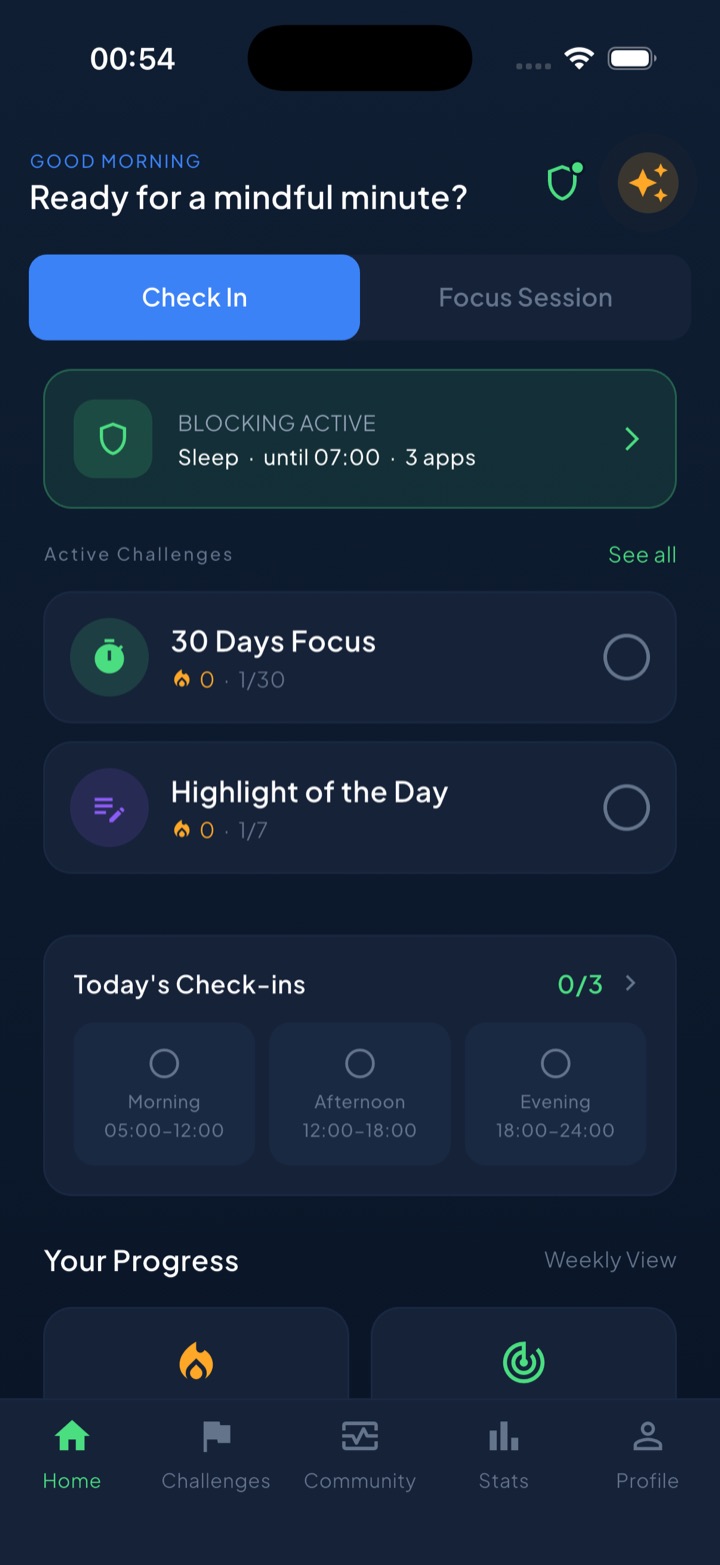
Scheduled blocks shield YouTube during hours you choose in advance, which is the only version of this rule that survives the moment you are trying to protect yourself from. Because the useful half of YouTube is real, a short deliberate take-a-break bypass exists for the genuine “I need to fix the boiler” case — a considered step rather than a reflexive dismissal. The guess-versus-real check asks for your estimate before showing the actual number, which is where most people discover the gap between “a couple of videos” and the figure. A unified daily streak grows on any day you do a quick check-in or finish one of 45+ challenges. Block lists and usage data are processed on-device by iOS and never reach Unscrol’s servers. Free to download; the optional Pro tier adds a Streak Saver that rescues a single missed day, twice a week.
Frequently asked questions
How do I stop watching so much YouTube?
Start by removing the three features that decide what you watch next rather than you: turn off Autoplay, clear or pause your watch history so the recommendation engine has less to work with, and turn off all YouTube notifications. Then change how you enter — arrive through your Subscriptions tab or a saved link instead of the home page, because the home page exists to start a session rather than finish one. Finally, put YouTube behind a scheduled block during the hours you keep losing, since the app is most persuasive precisely when you are avoiding something difficult.
Why is YouTube harder to quit than TikTok?
Because it feels productive. Every session can be justified as learning, research, or news, so it never triggers the guilt that eventually makes people delete entertainment apps. YouTube also spans an unusually wide range of value: the same app holds a genuinely useful two-hour lecture and an hour of drama commentary you will not remember tomorrow. That mixture means blanket rules feel wrong and get abandoned. The honest test is whether you chose the video before you opened the app, or the app chose it for you after you arrived.
Does turning off autoplay actually help?
Yes, more than almost any other single setting. Autoplay removes the natural stopping point at the end of a video and replaces a decision with a countdown, which is why sessions run far longer than intended. With autoplay off, every subsequent video requires a deliberate click, and a surprising number of sessions end right there because the impulse to keep watching was never strong enough to survive a decision. Combine it with turning off the end screen recommendations by using full screen sparingly and the effect is larger still.