The average smartphone user gets somewhere between roughly 50 and well over 100 notifications a day — estimates vary by study and device, but they all land in “several interruptions per waking hour.” The real problem isn’t the number, though; it’s the hidden tax. Research by Stothart and colleagues found that simply receiving a notification during a task degraded performance about as much as actively using the phone — even when people never checked it. Each ping fractures your attention and leaves a residue of “what was that?” So the fix isn’t willpower; it’s cutting the volume at the source. Triage every app into kill, batch, or keep, and most of the overload disappears.
How many notifications do people get a day?
Precise figures are all over the map because they depend on which apps you have and how heavily you use messaging. But the ranges reported across industry data and academic studies consistently sit in the dozens to low hundreds per day. Heavy social and group-chat users can push well past that.
What that means concretely: if you’re getting, say, 80 notifications across 16 waking hours, that’s a ping roughly every 12 minutes — and they cluster, so in practice you’re interrupted several times in some hours and left alone in others. Attention researcher Gloria Mark has found that after an interruption it can take on the order of 20 minutes to fully return to the original task. You don’t need many interruptions per hour before, on paper, you never actually reach deep focus at all. This is the interruption engine behind so much difficulty staying focused at work.
Why does a notification hurt focus even when you ignore it?
The intuitive belief — “I just won’t check it” — misunderstands how the damage happens. The Stothart study is the key evidence: participants doing an attention task made significantly more errors when their phone buzzed, whether or not they looked at it. The mere arrival of the alert was enough.
Two mechanisms explain it:
- Attention capture. A notification is engineered to grab you — sound, vibration, a badge. Your brain processes it involuntarily before you can decide to ignore it, and that split-second hijack is a real interruption.
- Attention residue. Psychologist Sophie Leroy described how part of your mind stays stuck on the previous cue even after you turn back. A ping spawns an intrusive thread — who texted? is it urgent? — that keeps running in the background, quietly stealing working memory from the task in front of you. It’s the same residue that makes context switching so expensive.
So “leaving notifications on but not checking them” is the worst of both worlds: you pay the attention tax without even getting the information. The only way to stop paying is to stop the ping.
The kill / batch / keep triage system
You don’t need to review notifications one crisis at a time. Sort every app on your phone into exactly three buckets, once.
| Bucket | What goes here | What it means |
|---|---|---|
| Kill | Games, shopping, social feeds, news, most “engagement” apps, promotional apps | No notifications at all. These exist to pull you back; you’ll open them when you choose. |
| Batch | Email, non-urgent group chats, delivery/order updates, calendar-adjacent apps | Delivered on a schedule (once or twice a day), not in real time. |
| Keep | Calls, texts from real people, two-factor codes, calendar alarms, rideshare/maps in transit | Instant alerts allowed — genuinely time-sensitive things from actual humans. |
The default state of a new phone is “everything is Keep,” which is exactly backwards. Most apps should be Kill; a handful should be Batch; only a short VIP list earns Keep. When in doubt, an app goes to Kill — you lose nothing, because you still open apps deliberately; you just stop letting them open you.
How to fix notifications on iPhone
The exact steps to implement the triage:
Kill (turn off completely)
- Settings → Notifications, tap the app.
- Toggle Allow Notifications off. Do this for every app in your Kill bucket.
- While there, turn off Badges too — that silent red dot is still a cue to check, and it does its own quiet damage.
Batch (Scheduled Summary)
- Settings → Notifications → Scheduled Summary, turn it on.
- Set one or two delivery times (e.g. 12pm and 6pm).
- Add your Batch apps to the summary. Their notifications now arrive together at those times instead of trickling all day.
Keep (but tame)
- Leave instant alerts on only for your VIP apps. In Messages you can even mark specific people as contacts whose alerts break through.
Whole-phone controls
- Use a Focus (Settings → Focus) to silence everything except a chosen VIP list during work or sleep, and schedule it to turn on automatically.
Do this once and your phone goes from a slot machine that pages you all day to a tool that speaks only when a real person needs you.
What about notification anxiety and phantom buzzes?
If the thought of turning notifications off makes you tense, that tension is itself a symptom. Notification anxiety — the compulsive need to monitor and respond — is a conditioned response, not a personality trait. So is phantom vibration syndrome, the very common experience of feeling a buzz that never happened; studies find a majority of frequent phone users report it. Both are signs your attention has been trained to stand permanently on alert.
The reassuring part: these fade fast once the input drops. Within a few days of cutting notification volume and keeping the phone out of sight while you work, most people report the phantom buzzes stop and the background hum of “I should check” quiets down. You’re not losing a sense; you’re letting an over-trained reflex reset. If the anxiety is severe or tied to broader worry, that’s worth raising with a clinician — but for most people it’s simply withdrawal from a too-noisy phone.
How Unscrol replaces the noise with one nudge that helps
The goal isn’t zero prompts — it’s replacing dozens of app-serving interruptions with a few that serve you. Unscrol takes that approach with Awareness Nudges: instead of a feed pinging you to come back, it sends a small, mindful reminder at your peak distraction times — the moments you’re most likely to slip — so the one notification you do get points you toward focus rather than away from it.
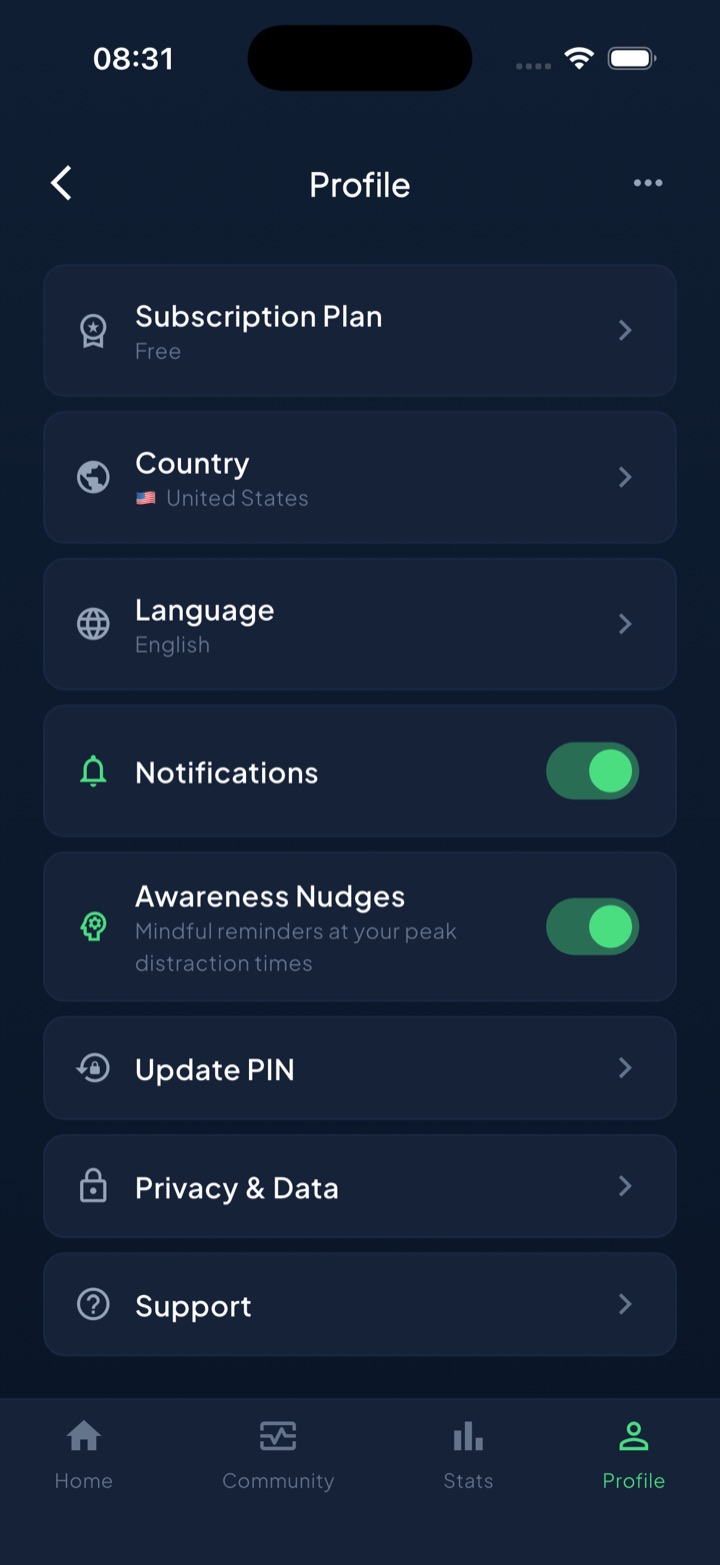
It also removes the source of much of the overload during blocks: when a scheduled routine or focus session is running, the distracting apps are shielded by Apple’s Screen Time frameworks, so the apps that generate the most pings simply can’t reach you until the block ends.
You don’t need any app to win most of this back. The kill/batch/keep triage above is free, built into iOS, and takes ten minutes — do that first. Unscrol just adds the intentional nudge back in once you’ve cleared the noise, so the signal that remains is one you actually chose.
Turn the loud apps off, batch the medium ones, and keep only the people. Your attention was never overloaded — it was oversubscribed.
Frequently asked questions
How many notifications does the average person get per day?
Estimates vary by study and device, but research and industry data generally put it somewhere between roughly 50 and over 100 push notifications a day for a typical smartphone user. Heavy users of messaging and social apps can receive far more. The exact number matters less than the pattern: most people get interrupted several times an hour, which is far more often than any focused work can absorb without a cost.
Do notifications hurt focus even if you don't check them?
Yes. In a study by Stothart and colleagues, simply receiving a phone notification during a task hurt performance about as much as actively using the phone, even when people didn't respond. The ping pulls your attention and starts an intrusive thought about what it might be, leaving what researchers call attention residue. An unanswered notification is not free; it still taxes the task in front of you.
How do I stop getting so many notifications on my iPhone?
Triage every app into kill, batch, or keep. Turn notifications off entirely for most apps in Settings, Notifications. Route low-priority apps into Scheduled Summary so they arrive once or twice a day instead of all day. Keep instant alerts only for real people and truly time-sensitive apps. Also turn off badges for anything you don't want pulling your eye, since even a silent red dot is a cue to check.
What is notification anxiety and phantom vibration syndrome?
Notification anxiety is the low-grade stress of feeling you must monitor and respond to constant pings. Phantom vibration syndrome is the common experience of feeling your phone buzz when it didn't, which many studies find in a majority of frequent phone users. Both reflect how thoroughly notifications have conditioned your attention. They usually fade within days of cutting notification volume and keeping the phone out of sight while you work.