James Clear’s Atomic Habits gives four laws for building a good habit: make it obvious, make it attractive, make it easy, make it satisfying. To cut your screen time, you invert all four for your phone. Make the cue invisible (apps off the home screen, notifications off), make it unattractive (grayscale, honest usage numbers), make it hard (log out, block apps, phone in another room), and make it unsatisfying (visible tracking so lost time stings). Then run the same four laws in the normal direction for whatever you want to do instead. The point is never willpower. It is a phone that is slightly annoying to waste time on.
The four laws, in 60 seconds
Atomic Habits rests on a loop borrowed from decades of behavioral psychology: cue, craving, response, reward. Every habit you have runs that loop, and Clear’s four laws are levers on each stage — make it obvious (cue), attractive (craving), easy (response), and satisfying (reward). To build a habit you turn all four dials up. To break one, you turn them down.
Screen time is the ideal target because your phone is engineered to be the opposite of all four dials turned down. It is obvious (badges and banners), attractive (color and novelty), easy (one thumb), and satisfying (variable rewards). You are not fighting your character. You are fighting a well-designed slot machine, and a machine can be redesigned.
Clear’s other core idea is 1% better — small changes compounding. You do not need to quit your phone this weekend. You need to make scrolling slightly harder each week until the default quietly flips.
How do you invert the four laws for your phone?
Here is the whole system on one page, then the detail underneath.
| Law (Clear) | Invert it to break the scroll | Apply it to build focus |
|---|---|---|
| Make it obvious | Make it invisible — apps off the home screen, notifications off | Keep your book or notebook in plain sight |
| Make it attractive | Make it unattractive — grayscale, see the honest hours | Pair focus with something you enjoy |
| Make it easy | Make it hard — log out, block apps, phone in another room | One tap to start a focus timer |
| Make it satisfying | Make it unsatisfying — track wasted time so it stings | Watch a streak climb each day |
Make the cue invisible
Most phone pickups are cue-driven, not decision-driven. Kill the cues:
- Turn off nearly all notifications. Banners and badges are manufactured cues.
- Move social, news, and video apps off the home screen into a folder on the last page, or leave them only in the App Library. Out of sight genuinely lowers use.
- Default the phone to Do Not Disturb and let only real people through.
Make it unattractive
The craving feeds on stimulation, so starve it. Grayscale drains the color off the screen and makes feeds visibly dull. Set it as an Accessibility shortcut — triple-click the side button — so it is easy to toggle when you sit down to work. And look at your real numbers now and then; “3h 40m on Instagram this week” is quietly unattractive in the best way.
Make it hard (add friction)
This is the highest-leverage law, because friction beats willpower every time they meet. Wendy Wood’s research suggests a large share of daily behavior — often cited around 43% — is habitual, cued by context rather than consciously chosen. So change the context: log out of the stickiest apps, delete the worst offenders and use them only in a browser, and keep the phone in another room during focused work. Even a few seconds of extra distance changes the odds.
Make it unsatisfying
The reward step is where habits get cemented, so add a small honest cost to wasting time. Track it somewhere you will see it, so a number that climbs when you scroll and stalls when you do not makes the loop feel less rewarding. Mild accountability — telling a friend, or a visible streak — makes a lost hour sting just enough to interrupt the loop next time.
What about the habit you are replacing?
Breaking the scroll leaves a vacuum, and vacuums refill with scrolling. So run the same four laws in the normal direction for whatever you want to do instead — read, focus, walk, sleep. Make it obvious (book on the pillow), attractive (a coffee you only get during a focus block), easy (a timer already set up), and satisfying (a streak that ticks up when you finish). If you want the full build-side playbook, see how to build better habits. The teardown and the rebuild are the same four dials pointed in opposite directions.
Why identity beats a screen-time goal
Clear’s deepest point is not tactical. It is that lasting change is identity-based: you do not “try to use your phone less,” you “become someone who is not very online.” Every time you leave the phone in the other room, you cast a small vote for that identity. A goal like “under two hours a day” runs on willpower and expires; an identity — “I’m not really a phone person anymore” — keeps working after you stop counting. Point the four laws at who you are becoming, not just at a weekly average.
Do you actually need an app for this?
No, and it is worth saying plainly. Most of this is free tonight: turn off notifications, drag apps into the App Library, switch on grayscale in Accessibility, set Apple’s built-in Screen Time downtime, and log out of the two apps that eat the most time. A paper tracker on the fridge covers the “make it satisfying” law. Apps mostly help with one law — friction. Apple’s own Screen Time limits are easy to tap past, so if your real problem is the moment of temptation, a blocker that is harder to bypass is where a tool earns its keep. For a free-first version of the whole plan, see how to reduce screen time.
How Unscrol turns the four laws into a daily setup
“Switching my phone to grayscale and letting Unscrol block Instagram during work hours did more in a week than a year of telling myself to just stop. The scroll isn’t fun in gray.” — Priya, marketing manager, 29
In Unscrol, the screen-time app we build, the four laws come pre-wired for a phone. It uses Apple’s official Screen Time frameworks to block chosen apps and categories — the make it hard law made real, a system-level shield rather than a reminder you can wave away. Scheduled routines like Work 09:00–17:00 and Sleep 22:00–07:00 keep the cue invisible during the hours that matter, and a daily check-in plus a unified streak supply the make it satisfying law by turning consistency into a number you would rather not reset. The Streak Saver keeps one bad day from wiping the board, so you never quit over a single slip.
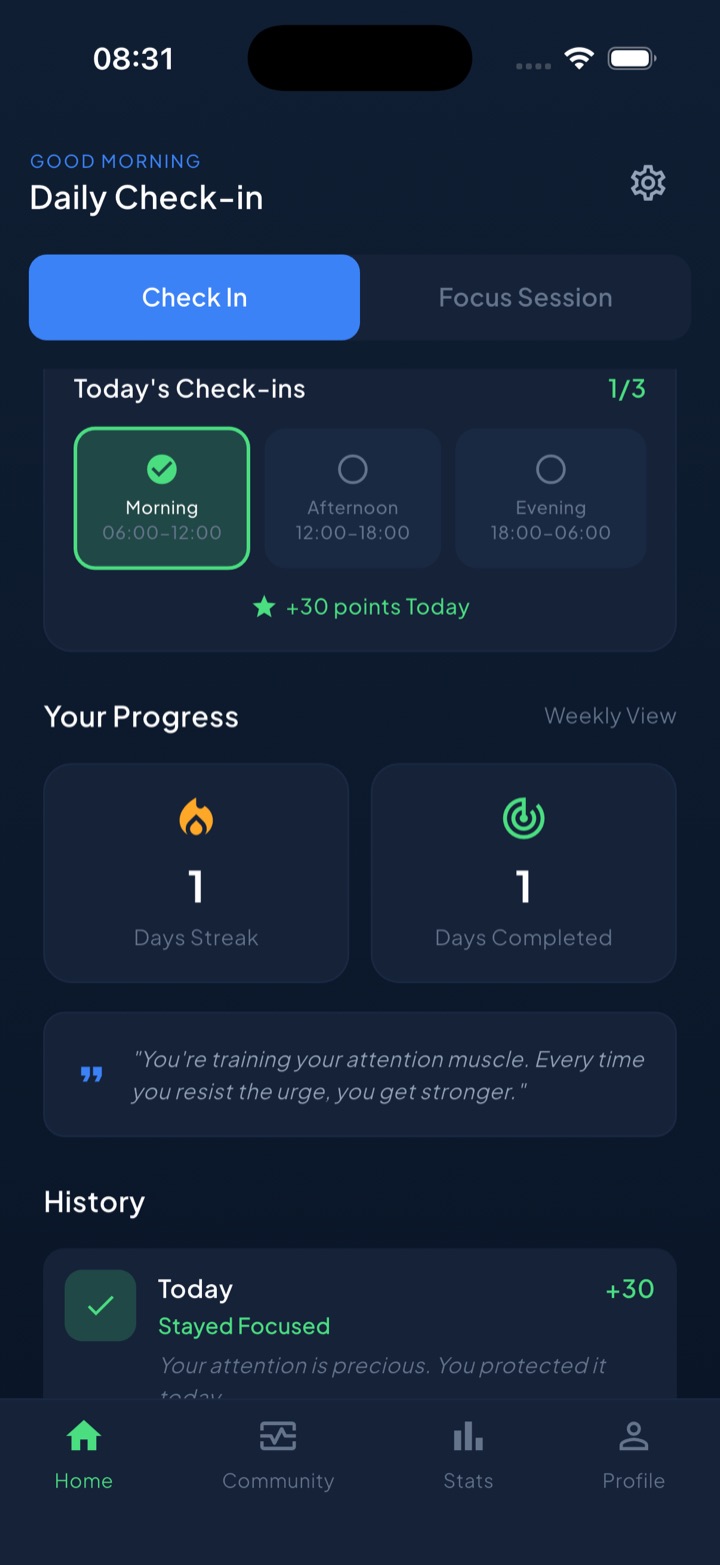
You can build the same system by hand with Screen Time, grayscale, and a paper tracker. An app just keeps all four dials turned the right way so you are not re-setting them every morning.
Cut screen time the way you would build any habit: one law at a time, 1% harder each week, until the boring choice is the easy one.
Frequently asked questions
How do I use Atomic Habits to reduce my screen time?
Invert James Clear's four laws for your phone. Make the cue invisible by moving apps off the home screen and killing notifications. Make it unattractive with grayscale and honest usage numbers. Make it hard by logging out, blocking apps, and leaving the phone in another room. Make it unsatisfying by tracking the wasted time so it stings. Then run the same four laws normally for whatever you want to do instead.
What are the four laws of behavior change for breaking a habit?
James Clear's four laws for building a habit are make it obvious, attractive, easy, and satisfying. To break a habit you invert each one: make it invisible, unattractive, hard, and unsatisfying. For phone use that means hiding cues, draining the screen of color, adding friction like app blockers, and making lost time visible so it feels like a real cost.
Does grayscale mode actually reduce screen time?
In the small studies that have tested it, switching a phone to grayscale produced modest but real reductions, on the order of 20 to 40 minutes a day for some people. Color is a big part of what makes feeds feel rewarding, so draining it makes scrolling visibly boring. It works best combined with other friction rather than on its own.
What does identity-based habit mean for phone use?
Identity-based habits shift the goal from an outcome to a self-image. Instead of aiming for under two hours a day, you aim to become someone who is not very online. Each time you leave the phone in another room, you cast a small vote for that identity. Identity outlasts willpower and keeps working after you stop counting screen-time minutes.