Digital hoarding is a real, studied pattern, and the pile inside your phone is not evidence of a character flaw. Researchers describe it as the digital sibling of physical hoarding: you accumulate files you never use, you cannot bring yourself to delete them, and the accumulation itself produces a low, constant unease. The difference is that nobody can see your version. Your flat is tidy, your desk is clear, and somewhere behind the lock screen sit 62,000 photos, 9,000 screenshots, 214 open tabs, five cloud drives and 14,000 unread emails. The dread that arrives when you open any of it is not irrational. It is an accurate reading of an unpayable debt.

What is digital hoarding, exactly?
Three things at once, and you probably have all three. You acquire far more than you process. You cannot discard, not because each file is precious but because deleting requires a decision and there are forty thousand of them. And the disorganisation itself interferes: you know the thing exists, you cannot find it, so you save another copy. That last part is how the pile feeds itself.
Researchers studying the digital form report the same distress and the same interference found in physical hoarding. What they have not found is a moral failing. At ordinary severity this is a design problem you were handed, not a flaw you developed.
Why did this get so much worse in the last ten years?
Because deleting stopped being compulsory. Storage used to be the constraint that did your triage for you: the drive filled up, the phone refused to take a photo, and you were forced into a decision under pressure. That pressure was doing enormous invisible work. Then storage became effectively infinite for a few pounds a month and the forcing function disappeared entirely.
The second change compounds daily. Saving costs one tap. Processing costs minutes. Screenshot a recipe: half a second. Cook it: an hour. Save an article: half a second. Read it properly: eleven minutes. When the input valve is a hundred times faster than the output valve, the gap does not stay small, and it has been widening every day since roughly 2012. You have not been failing to keep up. The system was never solvable at the rate you were feeding it.
Why can’t I close 214 tabs or delete 9,000 screenshots?
Because they are not files. They are frozen intentions. Each open tab is a promise to a future version of yourself: I will read this, I will compare these, I will finally learn this. Closing it is not a filing action, it is admitting the promise will not be kept. Ninety of those in a row is ninety small failures in one sitting, so the mind postpones.
Screenshots are the purest form. A screenshot defers a decision at the exact moment it was cheapest to make: you were looking at the thing, you had the context, three seconds would have settled it. Instead you handed the judgement to someone with less information and less time — you, later, with nine thousand others in the queue. The read-later pile has the same shape as productive procrastination: it feels like the work, right up until you notice the queue only ever grows.
Why does deleting feel like losing something?
Loss aversion, applied to things you never had. We feel a loss about twice as strongly as an equivalent gain, so deleting a saved article produces a genuine flinch: your brain files it as destroying value.
Run the number, though. How many of the last thousand things you saved have you ever retrieved? For most people the honest answer is between two and none. The retrieval rate is near zero, so the value you are protecting is near zero too. What you are protecting is the feeling of having secured something useful, and that feeling was paid out the moment you tapped save. Nothing further is owed to you.
What is the pile actually costing me?
Search noise. The more you keep, the less you can find. A library of 62,000 photos is functionally worse than one of 3,000, because retrieval quality falls as volume rises. You did not build an archive, you built a haystack and hid things in it.
Decision residue. Every glance costs a small tax in unfinished business, multiplied by every time you open Photos, the browser or the inbox — a quiet contributor to the fog in brain fog and screen time, and the same fragmentation that makes context switching expensive.
The phone becomes an anxiety object. A device you associate with dread is one you cannot use calmly, so you avoid the inbox, the count rises, the dread rises — the loop in how to stop checking email constantly, running in reverse.
Hoarded inputs feed hoarded attention. Where do nine thousand screenshots come from? Feeds. The read-later pile is doomscroll inventory: you scroll, you save, and saving justifies the scrolling because it feels like harvesting rather than consuming. The pile is not a separate problem from your screen time. It is the receipt.
“I had 41,000 unread emails and about 4,000 screenshots. What broke me was searching eleven minutes for a boarding pass with a taxi waiting outside. I declared bankruptcy that night, marked everything read, deleted every screenshot older than three months. Eight months on, not one person has asked about an email I marked read. There was nothing in there.” — Rachel, content strategist, 34
What is the reframe that finally lets you delete?
One sentence does most of the work: the archive is not a to-do list. You have been treating storage as a queue. Storage is storage. A real to-do list is short and deliberate, and no such list has fourteen thousand items on it. Separate the two and the pile stops being a backlog of obligations and becomes what it always was: cold files you are not using.
Then the second sentence: deleting a saved article you never read costs you exactly nothing you actually had. You did not lose the article. You never had the article. You had a link and an intention, and the intention expired months ago on its own.
How do I clear it out without losing a weekend?
Declare bankruptcy once, in about forty-five minutes, then change the rule going forward. Do not sort the backlog — sorting is the plan that has failed every time, because it scales with the pile and the pile is the problem.
| The pile | Declare bankruptcy once | The rule from now on |
|---|---|---|
| Unread email | Select everything before today, mark as read. Do not read them. | Older than a week is auto-condemned |
| Open tabs | Close the window. All of it. | Ten tabs maximum, no exceptions |
| Screenshots | Pull out receipts and documents, then delete everything older than 90 days | Screenshots expire at 90 days |
| Read-later saves | Empty it entirely | Not read this week means deleted |
| Cloud drives | Pick one. The others are archives you never open. | One drive, one place |
| Photos | Delete screenshots and burst duplicates only. Leave real photos alone. | Cull the burst the day you shoot it |
Two rules make it hold. The one-touch rule: when something arrives you deal with it now or let it go now, and there is no third option called later. And ninety days is a condemnation, not a review — anything unopened for three months goes without being looked at, because looking is what reinstates the intention.
How do I stop the pile from rebuilding?
Capture less instead of organising more. Every system you have tried failed for the same reason: it addressed the wrong end of the pipe. Folders, tags and a new notes app make processing slightly faster, and the input side is still a hundred times faster. You cannot out-organise the save button.
The save button is the tap to audit. Next time you reach to screenshot something, ask what would happen if you did not. Usually the honest answer is that you would forget it existed — which is what happens anyway, but without the storage cost or the guilt. The 20-second rule works here in reverse: put a little friction on saving and the compulsive saves stop while the deliberate ones survive.
Fifteen minutes a month, not a someday cleanup. The mythical weekend where you finally sort everything is not coming, and waiting for it is why the pile is eleven years old. Fifteen minutes on the first of the month, delete-only. That keeps the count flat forever, which is the only realistic goal. Digital minimalism applies the same subtraction logic to the whole phone.
When is this more than clutter?
Hoarding at clinical severity is a genuine condition, digital forms included, and the markers are distress that does not lift, hours lost to the pile, and interference with work, relationships or living space. If deleting a file provokes real panic rather than a flinch, that deserves support from a professional rather than a better filing system. There is nothing embarrassing in it, and it is treatable.
How does Unscrol help?
The honest starting point: most of this needs no app at all. The bankruptcy protocol is forty-five minutes, the one-touch rule is free, the monthly sweep is a calendar entry. Apple’s Screen Time adds daily App Limits per app or category, Downtime for scheduled windows and a real weekly average, built in and free. If that gets you there, buy nothing. Where the built-in tools run out is the source of the pile: iOS has no per-sitting cap, only cumulative daily budgets that arrive long after the scrolling happened, and App Limits ship with a one-tap dismissal.
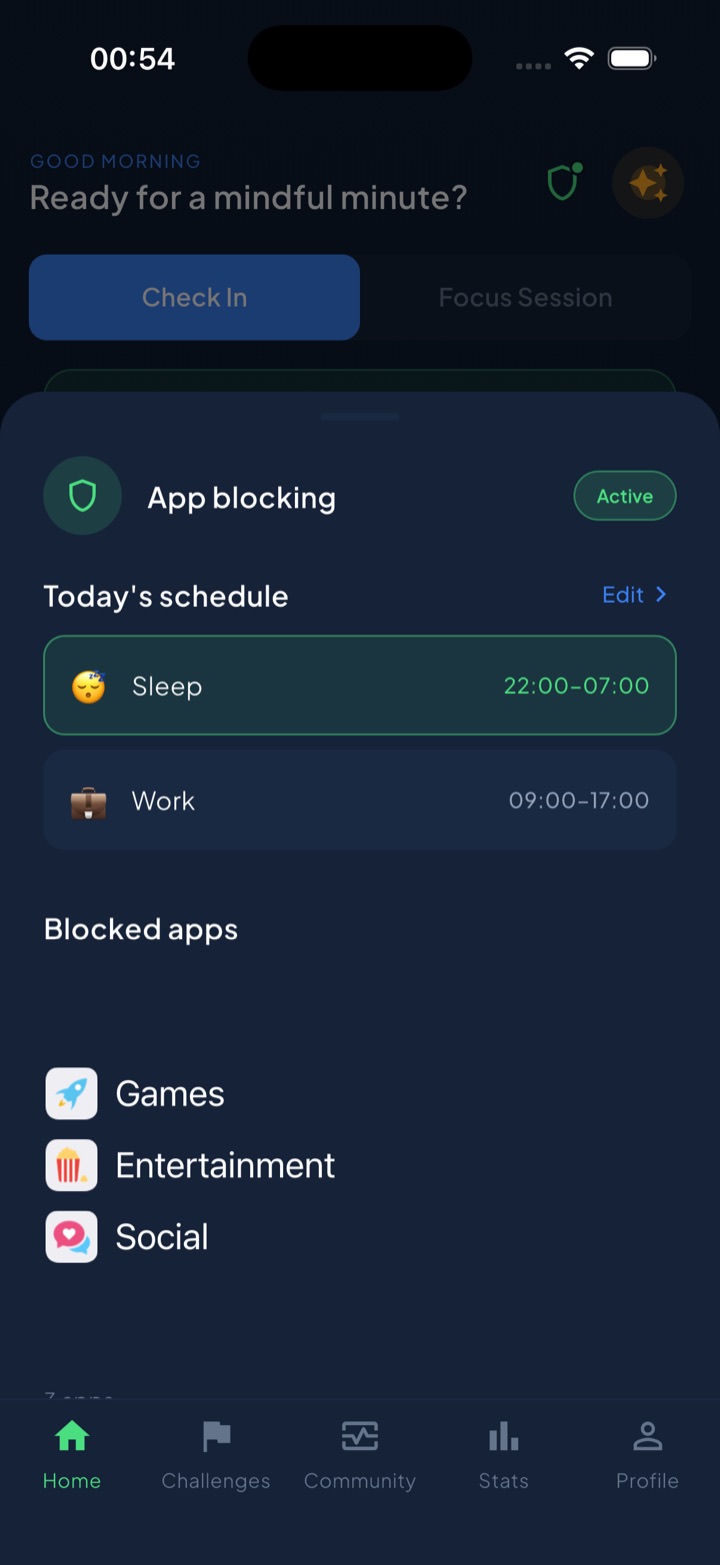
Unscrol is an iPhone, Apple Watch and Android app that works on the intake rather than the archive, which matters here because hoarding in produces hoarding out. Feeds are where the screenshots come from, so capping the hours shrinks the pile at its source. You set a daily total (45 minutes by default) and a per-session maximum (5 minutes by default), enforced through Apple’s Screen Time and FamilyControls frameworks rather than a cosmetic overlay. Spend a session-sized chunk of the budget and the chosen apps lock for 15 minutes; spend the whole daily budget and they lock until tomorrow. The session cap does something specific for a saver: when the app is closing in five minutes, seeing it and moving on becomes the natural move instead of the fortieth open tab. Shield adds scheduled blocking by time of day, and switching it off mid-block is deliberately slow — a breathing exercise and a wait, not a one-tap dismissal. A streak counts every day under budget, and home-screen and lock-screen widgets show what is left without you opening anything.
Two caveats. The usage numbers are threshold-based estimates, because iOS reports crossed thresholds across an interval rather than exact minutes. And iOS hands the app opaque tokens, never app identities: Unscrol cannot see which apps you picked, and block lists and usage data stay on-device. Free to download, with an optional premium tier adding Streak Saver for a missed day and five concurrent challenge slots instead of one. It will not delete a single screenshot for you. It will stop you making four hundred more this month.
Frequently asked questions
What is digital hoarding?
Digital hoarding is the accumulation of digital files you never use, combined with real difficulty deleting them and distress caused by the pile itself. It shows up as tens of thousands of unsorted photos, screenshots saved for a read that never happens, hundreds of open browser tabs, several overlapping cloud drives and an inbox counter in five figures. Researchers describe it as the digital sibling of physical hoarding, with the same three ingredients: excessive acquisition, difficulty discarding, and disorganisation that gets in the way of actually using anything. The obvious difference is that nobody can see your version, so nobody ever intervenes. It is extremely common and, at ordinary severity, is a storage-design problem rather than a personality defect.
Is digital hoarding a real disorder?
It is a real and studied behaviour pattern, but it is not a standalone diagnosis in the current manuals. Hoarding disorder itself is a recognised condition, and researchers have documented digital equivalents that produce comparable distress and functional interference, which is why clinicians increasingly ask about it. For most people the behaviour sits well below any clinical threshold: it is annoying and mildly anxiety-producing, not disabling. The line worth watching is whether the pile causes genuine distress, eats significant time, or stops you doing things you need to do. If it does, that deserves a conversation with a professional rather than another productivity app.
How do I delete thousands of screenshots without missing something important?
Use age as your filter rather than judgement, because judging ten thousand items one by one is exactly what has stopped you every previous time. Anything older than about ninety days that you have not opened since saving is functionally dead, and you can condemn the whole block without inspecting it. Before you delete, spend ten minutes searching for the handful of categories that genuinely matter, usually receipts, tickets, medical results and screenshots of documents, and move those into one folder. Then delete the rest in bulk. The reason this feels risky and almost never is: you cannot name a single screenshot you deleted in the last five years, because you were never going to retrieve any of them.
Why do I feel anxious every time I open my photo library?
Because you are not looking at photos, you are looking at unfinished work. Every unsorted image is an implicit task you assigned yourself and have not done, and the brain treats a visible pile of open loops as ongoing obligation rather than neutral storage. That produces a small dose of decision residue on every visit, which is why the feeling is dread rather than nostalgia. The pile also ruins the one thing the library was for, because the more you keep the harder it is to find anything, so each visit confirms the cost. Reducing the count is what fixes the feeling, and reducing what you add is what keeps it fixed.