Start from your actual current average, not from the number you wish were true. Open your weekly Screen Time report, add up only the apps you genuinely want to cut, and take about 25 percent off that figure. That is your first daily budget. Then set a per-session cap of roughly five minutes and leave it alone as you tighten the daily number over the following weeks. Almost every abandoned screen time limit failed one of two ways: so tight it collapsed in three days, or so loose it never once had to say no.

Where should the number come from?
From a measurement, and only from a measurement. On iPhone, go to Settings, then Screen Time, then See All App and Website Activity and read the weekly daily average, from a normal week rather than a holiday or a week off sick.
Then do the part most people skip. Do not use your total screen time. The total includes maps, music, calls, banking, work tools and the messages that keep your relationships running, and none of that belongs in a budget you are trying to shrink. Add up only the apps you would be relieved to use less of, usually three or four, and write that number down.
The gap between that figure and the one you would have guessed is the useful part of the exercise. Building a budget on the guess is the first mistake in the chain. If the real total rattles you, how much screen time is too much is a better place to process it than the settings screen.
Why does jumping straight to 30 minutes fail?
Because a limit is not a promise, it is a piece of infrastructure, and infrastructure that collapses on day three is worse than none at all.
Picture the standard version. Your real average is two hours forty and you set 30 minutes, because 30 sounds like the kind of person you want to be. Day three has a bad meeting in it and you are past the limit by half past one, so you dismiss it. Day four you dismiss it before you have even looked. Day five the whole thing is off, and you have learned something false and expensive: limits do not work for me. The opposite failure is quieter and just as common: three hours against a real average of two hours fifty, nothing binds, nothing changes, and you conclude the tool is useless.
The target zone is narrower than people expect. A limit is working when you hit it four or five days out of seven. If you never reach it, it is decoration. If you blow through it daily, it becomes a source of guilt rather than structure, and guilt is what makes people delete these apps.
What is the 25 percent rule?
Cut a quarter off your real average, hold it for two weeks, then cut another quarter. A quarter is the right size because it is large enough to be felt on most days and small enough to survive your worst day, and your worst day is the one that decides whether the system lives.
The arithmetic gets somewhere quickly. Real average 2h 40m, so week one is 2 hours. Kept five days out of seven, so week three is 90 minutes. Kept again, so week five is 65 minutes. That is a 60 percent reduction in about six weeks, and at no point did you have to be a different person. Each step was a change of habit rather than a feat of endurance, which is the same logic as never miss twice.
One rule for tightening: only cut again after two weeks in which you kept the current number most days. The step you failed to keep is not the step you should be replacing.
What should I set based on my current usage?
These are starting points, not health thresholds, and they refer to your average in the distracting apps only.
| Current daily average in the apps you want to cut | Week 1 daily budget | Session cap | Where people usually land after 6 to 8 weeks |
|---|---|---|---|
| Under 1 hour | 45 min | 5 min | 30 min |
| 1 to 2 hours | 70 min | 5 min | 45 min |
| 2 to 3 hours | 1 hr 50 min | 7 min | 60 min |
| 3 to 4 hours | 2 hr 40 min | 10 min | 75 min |
| Over 4 hours | A quarter below your real number | 10 min | Roughly halved, over a few months |
Notice that the session cap barely moves down the table, and it barely moves over time either. That is deliberate, and it is the most useful line in this article.
Which number matters more, the daily one or the per-session one?
The per-session one, by a wide margin. The daily total is a negotiation with your current life: how much of this can you afford today. It speaks once, usually late, and once it is spent the rest of the day is unguarded.
The session cap changes what happens inside a sitting. It ends the stretch while you can still remember why you opened the app, which is where the time actually goes missing. Someone who scrolls for forty minutes without noticing has a depth problem, not a volume problem, and only the session number touches depth — the full argument is in session limits vs daily limits.
So tighten the daily number and leave the session number alone. Five minutes in week one is still five minutes in week eight. The daily figure tracks your progress; the session figure produces it.
Should I set the same limit for every app?
No, and the fastest way to abandon the whole system is to cap something you genuinely need.
| App type | Inside the budget? | Session cap that fits | Why |
|---|---|---|---|
| Short-video feeds (TikTok, Reels, Shorts) | Always | 3 to 5 min | No natural ending, so you supply one |
| Social feeds (Instagram, X, Facebook) | Always | 5 min | You see what you came for in under five |
| News and aggregators | Yes, small share | 5 min | Twice a day is plenty; more is anxiety |
| Mobile games | Usually | 10 to 15 min | A round ends, but the loop restarts instantly |
| Long-form video and streaming | Depends | 20 to 30 min | An episode has an ending; 5 minutes makes it unusable |
| Messaging, maps, banking, music, work tools | No | Not applicable | Nothing to gain, and capping these kills the system |
One honest note: most tools, Apple’s own App Limits included, apply one budget to a group of apps you select rather than a number per app. So the per-category decision is not about setting seven numbers, it is about deciding what goes in the group. Keep it small, keep it to apps that share a shape, leave everything you depend on outside.
“My mistake was putting WhatsApp in the same bucket as TikTok. Within a week I was switching the whole thing off every evening just to answer my sister, and once it was off it stayed off. Second attempt, three apps in and nothing else. That version has been running since March.” — Tomas, warehouse supervisor, 44
When should I loosen the limit on purpose?
Deliberate loosening is maintenance, not failure. Most abandonment happens because someone would rather break a rule than edit it. Loosen on purpose for travel days, for illness, for a live event you are following, for a long-distance relationship where the feed is also the contact, and seasonally: tighter in a deadline month, looser after.
One rule matters more than the list. Loosen tomorrow, never now. Change the number in the morning while you are calm, not at ten at night in the middle of wanting it. A number you edited deliberately is still a working limit; a number you dismissed while craving is a habit of dismissing. That is the idea behind commitment devices: the calm version of you sets the terms for the tempted one.
How do I know the number is right?
Three checks, after two weeks:
- You hit the daily limit four or five days out of seven. Not seven, not one.
- Hitting it produces mild annoyance, not panic and not relief. Panic means too tight; relief means you were waiting for permission to stop, and the number should come down.
- Something came back. A chapter, a walk, cooking properly, sleeping before midnight. If nothing has returned, the limit is capping minutes without changing the shape of your day, and the session number is where to look next.
If you hit the limit seven days out of seven, loosen it by ten minutes. That sounds like surrender and is not: a limit you break daily has become a scoreboard of your failures, and nobody keeps checking one of those.
How does Unscrol help?
Start with what is free. Apple’s Screen Time is where your starting number comes from — the weekly daily average, the per-app breakdown and basic App Limits are built in at no cost. If a daily App Limit plus a Downtime window is enough to make you stop, that is the whole answer and you should not pay for anything. Where it runs out is the second number: iOS has no per-session cap, and its daily limit ships with a one-tap dismissal.
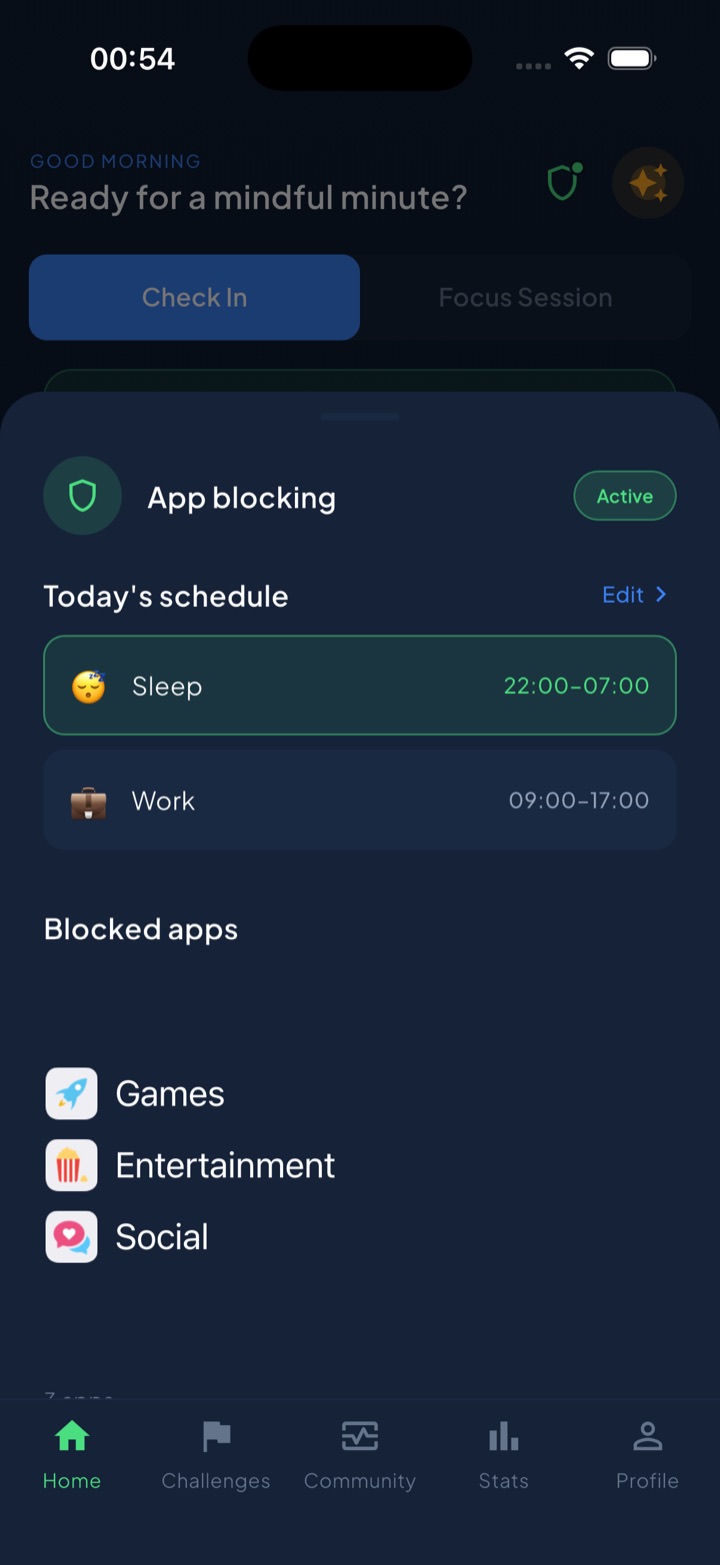
Unscrol is an iPhone, Apple Watch and Android app built around exactly the two numbers this article is about. You set a daily total (45 minutes by default) and a per-session maximum (5 minutes by default), and iOS enforces both through the Screen Time and FamilyControls frameworks. Use a session-sized block of your budget and the chosen apps lock for 15 minutes; spend the whole budget and they lock until tomorrow. A streak counts every day you finish under budget, widgets on the home and lock screens show what is left without you opening anything, and Shield adds blocking you schedule by time of day for the hours where the answer should simply be no.
Two things to be straight about. The numbers are estimates: iOS reports usage through crossed thresholds across an interval rather than exact minutes, so treat your budget as approximately right rather than precise to the second. And iOS hands the app opaque tokens, never app identities, so Unscrol cannot see which apps you chose, their names, their icons or your per-app usage. The system draws the app picker; the app only draws the frame around it, and block lists and usage data are processed on-device by iOS and never reach Unscrol’s servers. Free to download, with an optional premium tier adding Streak Saver and five concurrent challenge slots instead of one.
Frequently asked questions
What is a good daily screen time limit for adults?
There is no clinical number for adults, so the useful answer is relative rather than absolute: set your first limit about 25 percent below your real current average in the apps you want to cut, not below your total screen time. For someone averaging two hours a day in social and video apps, that is around 90 minutes. For someone averaging 45 minutes, it is around 35. A limit is working when you hit it four or five days out of seven. If you never reach it, it is decoration. If you blow past it daily, it is too tight.
How do I decide what screen time limit to set for myself?
Take three steps. First, open Settings, then Screen Time, then See All App and Website Activity, and read the weekly daily average for the specific apps you want to reduce, ignoring maps, messaging and work tools. Second, cut roughly a quarter off that number and round it to something you can remember, like 45 or 90 minutes. Third, set a per-session cap of about five minutes regardless of what the daily number is. Hold both for two weeks, then cut another quarter off the daily number if you kept it most days.
Why do my screen time limits keep failing after a few days?
Almost always because the first number was an aspiration rather than a measurement. Someone averaging two and a half hours sets 30 minutes, survives two days, blows it on the third, and concludes that limits do not work for them. The opposite failure is just as common: a limit set so loosely that it never binds, so nothing changes. A limit needs to sit close enough to your real behaviour that you feel it most days and can still keep it most days. Big cuts feel decisive and are the main reason people quit in week one.
Should I set the same screen time limit for every app?
No. Put short-video feeds, social apps and news aggregators inside the budget, and leave messaging, maps, banking, music and work tools outside it entirely. Capping the apps you genuinely need is the fastest way to resent the whole system and switch it off. Session caps should also differ by app shape: a five-minute cap suits an endless feed with no natural ending, while long-form video or a game needs 15 to 30 minutes because those have real stopping points and a tiny cap just makes them unusable.