Judge a blocker by its escape hatch, not by its block. Every app blocker on a phone you own has a way out, and it has to, or you will delete the whole thing the first time it fires at a genuinely bad moment. What separates a blocker that still works in month three from one you abandoned in week two is the design of that hatch. A one-tap “ignore” is not friction, it is a formality. A timed wait is friction, because it costs the one thing a craving does not have: patience.
Why does every app blocker need an escape hatch?
The instinct after a bad week is to want a blocker with no exit at all. It is understandable and it is wrong, for two reasons.
The first is structural. You own the device, and Apple deliberately keeps the owner in charge of it. Any block you can install, you can uninstall. So the choice is never between an escape hatch and no escape hatch. It is between one the designer thought about and one you improvise at eleven at night by deleting the app.
The second is what people learn the hard way. A block with no valve eventually fires at the worst possible moment: a boarding pass, a two-factor code, an address someone sent you in a chat. The tool that was helping you five minutes ago is now between you and something real. That flip, from ally to obstacle, is what kills blockers. Too soft and you renegotiate, too hard and you rebel — the paradox set out in why you keep bypassing your app blocker. The escape hatch is where that trade-off gets resolved.
What actually counts as friction?
Not all friction is equal, and the kind matters more than the amount.
Effort friction asks you to do something. Type a sentence, solve a maths problem, confirm twice. It feels strict, and it fails, because it tests a capability you already have and get better at with repetition. Google shipped a feature called Mail Goggles in 2008 that made you solve arithmetic before sending email late at night. It is not in Gmail anymore. Undo Send, which is pure delay, is.
Time friction asks you to wait. It tests something you cannot practise: whether the urge is still there in sixty seconds. For most phone pickups the honest answer is no.
The 20-second rule works not because twenty seconds of effort is expensive, but because it is long enough for the automatic sequence to break and the deciding part of you to catch up. A puzzle keeps you in the hot state while you solve it; a wait lets the hot state cool. And effort friction habituates while time friction does not compress: a confirmation dialog becomes a two-tap motor pattern within weeks, but nobody develops the skill of making ninety seconds pass faster.
What does the research on cooling-off periods say?
The idea that a mandatory delay changes decisions is not a productivity-blog invention. It shows up wherever the stakes were high enough to legislate.
- Consumer law. The US Federal Trade Commission’s Cooling-Off Rule gives buyers three days to cancel certain door-to-door sales; EU distance-selling rules give fourteen. Both assume a decision made under pressure is not the decision the person would make calmly.
- Firearm waiting periods. A widely cited 2017 study in PNAS by Luca, Malhotra and Poliquin estimated that state handgun waiting periods reduced gun homicides by roughly 17 per cent. The delay changed nothing about who could buy, only when.
- The hot-cold empathy gap. George Loewenstein’s work describes how badly the calm version of a person predicts the craving version. A cooling-off period hands the decision back to the calm one.
- Urge surfing. In relapse-prevention practice, cravings are taught as waves that crest and subside rather than climb indefinitely. You do not have to defeat the urge, you have to outlast it.
None of this is about phones, and that is the point. A delay does not make you stronger. It moves the decision to a moment when you want different things.
Why does a breathing exercise plus a wait beat a confirmation dialog?
A dialog asks a question, and the same craving that made you reach for the app answers it in the same second. You are asking the defendant to be the judge.
A wait with something to do in it fixes three things at once. It occupies the gap, so you are not spending the delay rehearsing how much you want the app, which strengthens the urge rather than dissolving it. It changes state, not just time — slow exhalation is one of the few things you can do in sixty seconds that shifts how activated you feel. And it cannot become a reflex: you can tap through a dialog without reading it, but you cannot breathe through a timer without noticing you are doing it.
The honest caveat: a breathing screen used as decoration in front of an instant unlock is worse than nothing, because it trains you to treat a calming ritual as a turnstile. The breathing has to be inside the wait, not instead of it.
How do you rate an escape hatch?
The whole category, sorted by what each design actually tests.
| Escape hatch | What it tests | Time to get in | Does it hold? |
|---|---|---|---|
| One-tap Ignore Limit | Nothing | About 1 second | No |
| Are-you-sure dialog | Nothing after week one | About 2 seconds | No |
| Type a phrase or solve a puzzle | A skill you already have | 10 to 30 seconds | For a few weeks |
| Delete and reinstall the app | Patience, once | Under a minute, then muscle memory | No |
| Timed wait, no task | Whether the urge outlasts it | 1 to 5 minutes | Yes |
| Breathing exercise inside a timed wait | Urge decay, plus a state change | 1 to 5 minutes | Yes, habituates slowest |
| Passcode someone else holds | Another person’s availability | Minutes to hours | Yes, at a social cost |
The two best rows are not the two strictest. Strictness is not the variable. Reversal speed is.
“I work nights, so I could never use a blocker with no exit. I need the ward group chat at 3am. What finally worked was one that makes me sit through about ninety seconds of breathing first. Half the time I get to the end and genuinely cannot remember what I was going to check.” — Nadia, ICU nurse, 34
What should you check before you install a blocker?
Five questions, in rough order of how well they predict whether you will still be using it in a month.
- Time it. Trigger the block and time the bypass with an actual stopwatch. Under ten seconds, it will not hold. Over five minutes, you will delete it.
- Bounded or unbounded? Getting in should buy a defined amount, like fifteen minutes. A hatch that grants the rest of the day means one bad moment costs the whole day.
- Can you edit the rules while craving? Nobody checks this one. The button on the block screen is usually not the real escape hatch — the settings screen is. If you can raise your own limit in the hot state, the block screen is theatre.
- Does it re-arm itself? After the bypass expires the block should return on its own. Nobody reinstates it manually.
- Does it treat you like a suspect? A tool that scolds gets deleted on a bad day, and bad days are when you need it. It is why commitment devices work best set up calmly, by a tool that stays neutral when you are not.
For what iOS gives you natively versus what a third-party tool adds, app limits versus Downtime versus app blockers covers the mechanics.
How does Unscrol help?
Start with the free option, honestly. Apple’s Screen Time already does much of this. App Limits, Downtime and a Screen Time passcode cost nothing, and if a passcode your partner holds stops you at eleven at night, that is a genuinely good cooling-off device and you should stop reading here. Its known weakness is the block screen: hit an App Limit and iOS offers Ignore Limit, which after the third tap carries no weight at all. A one-second hatch, which is the failure mode this article is about.
Unscrol is an iPhone, Apple Watch and Android app; on iPhone it is built on the same Apple Screen Time frameworks, so its blocks are system-enforced rather than an overlay you can swipe away. The core is two numbers you pick: a daily total and a per-session maximum. Use a session-sized chunk of the budget and the apps you chose lock for fifteen minutes; spend the whole daily total and they lock until tomorrow. A streak counts every day you stay under budget.
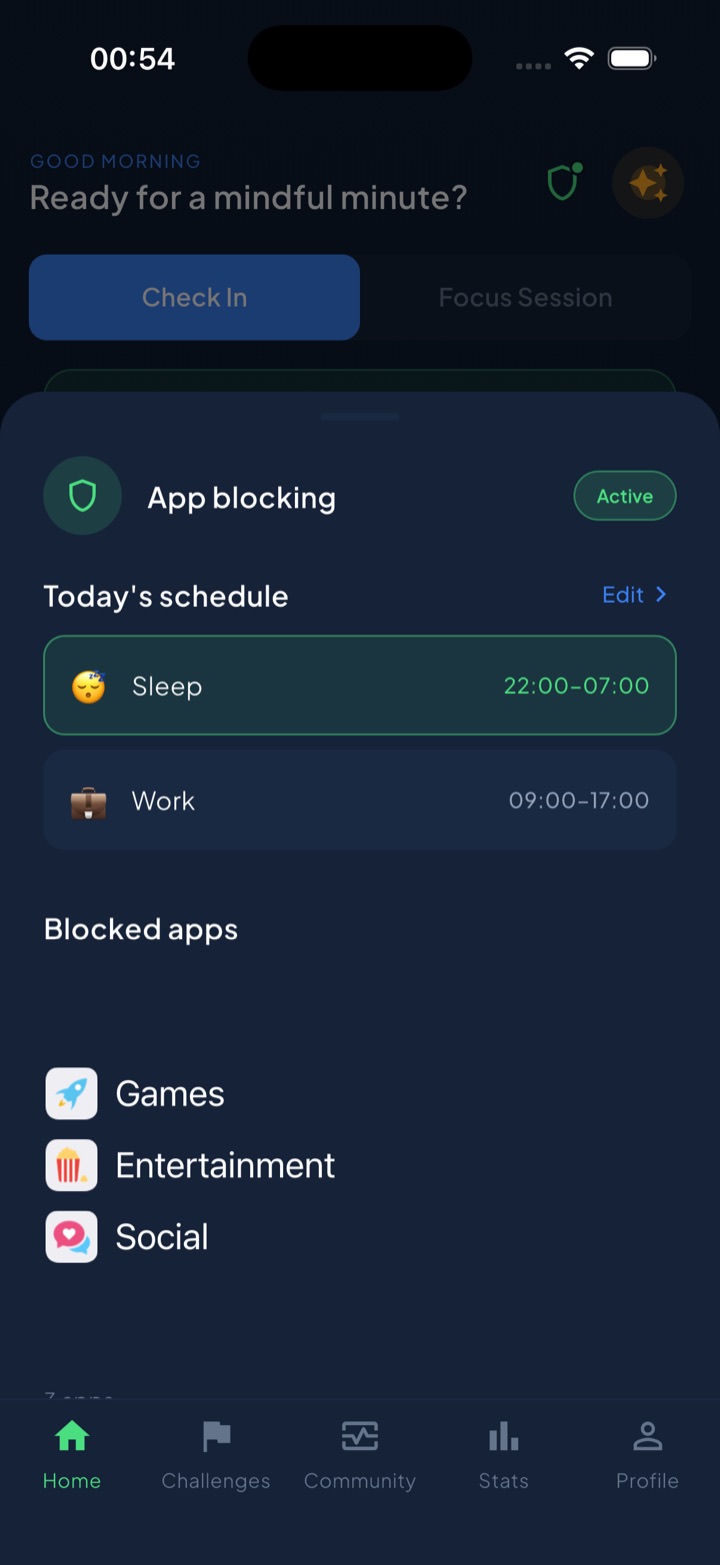
The escape hatch is where the design opinion lives. Shield, the blocking you schedule by time of day, is deliberately slow to switch off mid-session: a breathing exercise plus a wait, not a one-tap dismiss. A one-minute reflection, Mind Break, covers the times when what you needed was thirty seconds of attention rather than the feed.
Two notes. iOS hands the app opaque tokens, never app identities, so Unscrol can never see which apps you picked, their names, their icons or your per-app usage, and none of it reaches its servers. And the numbers are estimates derived from crossed thresholds, so a budget is a gauge, not a stopwatch. Free to download; the optional premium tier adds Streak Saver and five concurrent challenge slots instead of one.
Frequently asked questions
Why do app blockers let you turn them off at all?
Because a blocker with no way out gets deleted. On a phone you own, Apple keeps you in control by design, so the only truly unbreakable block would be one you could not uninstall, and that does not exist. Worse, a blocker with no exit eventually fires at a genuinely bad moment: a boarding pass, a two-factor code, a message from your kid. At that point it stops being a helper and becomes a warden, and people delete wardens. The escape hatch is not a weakness in the product. It is the pressure valve that keeps the product installed.
What kind of friction actually stops you opening an app?
A wait, not a task. Effort friction, like typing a sentence or solving a puzzle, tests a capability you already have and get faster at with practice, so it stops working within weeks. Time friction tests whether the urge outlives the delay, and urges fade on their own. That is why a sixty-second countdown beats a confirmation dialog even though the dialog feels stricter. The best version fills the wait with something else, such as a breathing exercise, so you are not standing there rehearsing how much you want the app.
How long should the delay be before a blocker lets you in?
Long enough that the impulse can decay, short enough that you do not rage-quit. In practice, somewhere between sixty seconds and a few minutes works for most people. Clinicians who teach urge surfing describe cravings as waves that crest and fall rather than build forever, which is why any delay at all changes the outcome so often. Under about thirty seconds and the wait becomes a motor pattern you tap through on autopilot. Over about five minutes and resentment builds, which is how blockers get uninstalled rather than obeyed.
How can I compare app blockers before I install one?
Time the bypass with a stopwatch, then ask four questions. How many seconds from wanting in to being in? Does getting in grant a bounded amount of access, such as fifteen minutes, or the whole rest of the day? Can you edit the rules themselves while you are craving, because the settings screen is usually the real escape hatch rather than the button on the block screen? And does the block re-arm itself automatically afterwards, or does one bypass quietly end the day? A blocker that answers those well beats a stricter one that does not.